Adding a Replay Buffer to Handy
I’ve been using Handy for a while now. It’s a desktop speech-to-text app where you hold a key, talk, and it transcribes and pastes what you said. Simple and useful. But I kept running into a situation where I’d have a conversation, riff on something good, and then think I wish I had written that down.
So I forked it and added a replay buffer. Here’s my fork on GitHub: github.com/curreta/Handy/tree/feature/ring-buffer
The idea
I used to play Rocket League and PUBG, and NVIDIA ShadowPlay was one of those features I didn’t expect to use as much as I did. You do something cool in a game, hit a button, and it saves the last 30 seconds of gameplay. The GPU keeps a rolling buffer in memory that overwrites itself after a set duration, so it doesn’t accumulate forever. You’re not recording everything permanently. You’re just giving yourself the ability to reach back in time and grab something after the fact. I had a bunch of clips from that and found it really useful. I didn’t have to keep recording and end up with a ton of storage full of mediocre gameplay. Sometimes I’d do something cool, and I had a way to keep it.
I also got some inspiration from learning that dash cams work the same way. They record on a loop and overwrite old footage continuously. Something about that just clicked for me as a pattern.
This is the same thing, but for conversations.
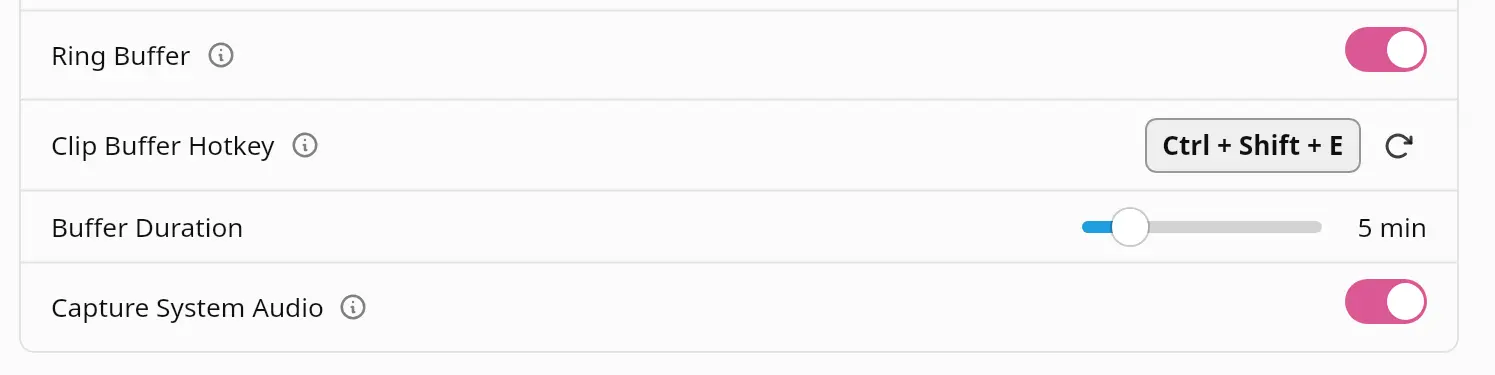
Handy already handles mic capture, transcription, and post-processing through a local LLM. The replay buffer just adds a circular audio buffer that’s always recording in the background. When you hit a hotkey, it clips the last N minutes, strips silence with VAD, transcribes it, and runs it through the same post-processing pipeline as everything else in the app.
First real use
I had literally just finished building this feature when my sister called me. She was dealing with a difficult customer, and we spent a few minutes going back and forth on how to handle it. There was a lot of deliberating, figuring out what was actually going on, what the right tone would be. A lot of discovery in that conversation.
After we hashed it out, she asked me to help draft the response. And I was like, “Check out this cool thing I just added.” I hit the hotkey, it grabbed the last couple minutes of our conversation, transcribed it, and cleaned it up. All that deliberation and back and forth had so much value in it that we didn’t want to lose. And really, writing the email was just putting what we’d already figured out into a kind message to the customer. We’d already done the hard part.
That’s the use case. You’re jumping through ideas, having a real conversation, and afterwards you want to capture what was said without having been “recording” the whole time.
How it works
- Always-on circular buffer configurable from 1 to 30 minutes, storing 16kHz mono audio in memory. The RAM usage is minimal, just a few megabytes.
- One hotkey to clip grabs the buffer contents, runs VAD to strip silence, transcribes, post-processes, and pastes.
- System audio capture on Linux, it can also capture desktop audio via PipeWire and mix it with the mic.
- CLI trigger
handy --clip-bufferfor scripting and window manager integration.
On the implementation
I stepped through all the features and understood what I was building. I picked the architecture, chose how the circular buffer works, how PipeWire capture integrates, when VAD runs, how it fits into the existing shortcut system. But the actual Rust was written by Claude Code. It compiles, it works, I’m using it daily. I can’t vouch for every line of the implementation, but everything runs nicely.
I think that’s fine for a fork I’m running myself. If this ever becomes a PR upstream, the code would need proper review.
Ideas surfacing in front of me
Right now it transcribes and runs through Handy’s existing LLM post-processing pipeline, which cleans things up nicely. What I actually want is something smarter. If I talked for five minutes and touched on five different ideas, I want those presented to me individually. They pop up in front of me, and I can quickly assess and route each one. Discard two, send three to my inbox, route one to a project. Make the decision-routing fast and easy after the ideas have been surfaced.
The replay buffer is the capture mechanism. The interesting part is what happens after.